Aadhaar Update and Correction Form – (Full Process Explained 2026)
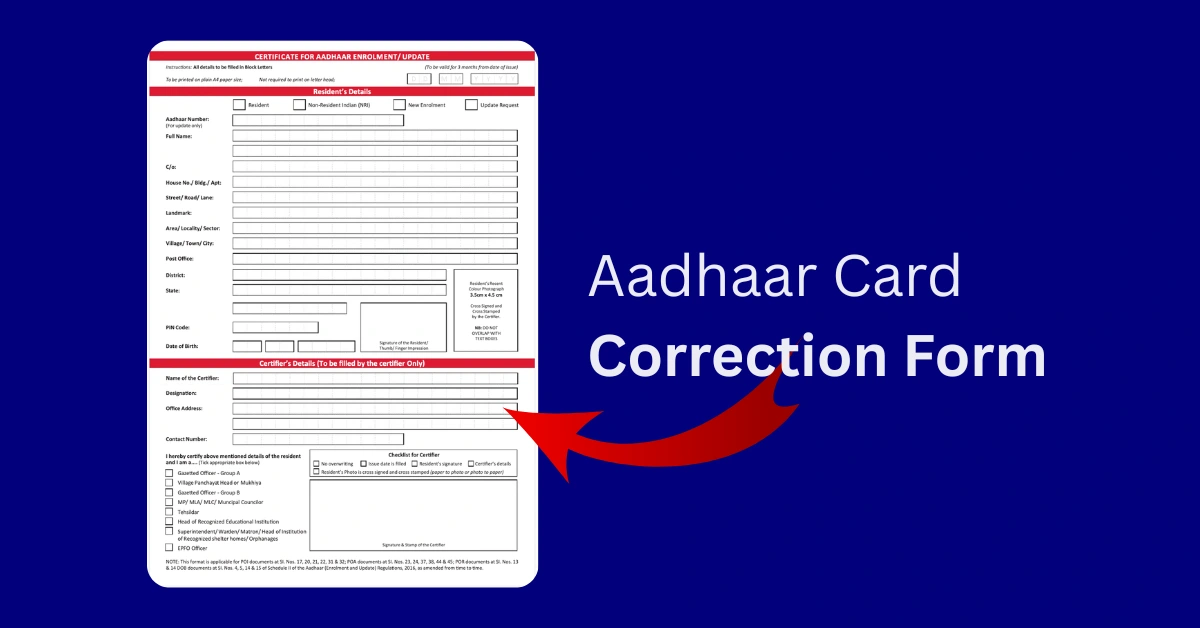
Aadhaar is one of the most important identity documents issued by the Government of India. If there is any error in your name, date of birth, address, or other details, it is important to correct it immediately to avoid problems in banking, subsidies, PAN linking, or other official services.
This guide walks you through the real steps people actually use—online where possible, offline when you have to. No fluff, just what works based on the latest from UIDAI as of early 2026.
Why Aadhaar Correction Is Important?
Even a small spelling mistake or incorrect date of birth can cause:
- • PAN-Aadhaar linking issues.
- • Banking verification delays.
- • Government scheme benefit rejection.
- • Problems in job verification.
- • Passport or driving license mismatches.
Keeping your Aadhaar updated ensures smooth verification across services.
What You Can Actually Change
You can request correction or update for:
- • Name
- • Date of Birth
- • Gender
- • Address (super common after shifting cities)
- • Mobile Number
- • Email ID
- • Supporting Documents
Biometrics like photo or fingerprints? Usually need a centre visit, with free slots for kids in certain ages.
Online Aadhaar Update Process (2026)
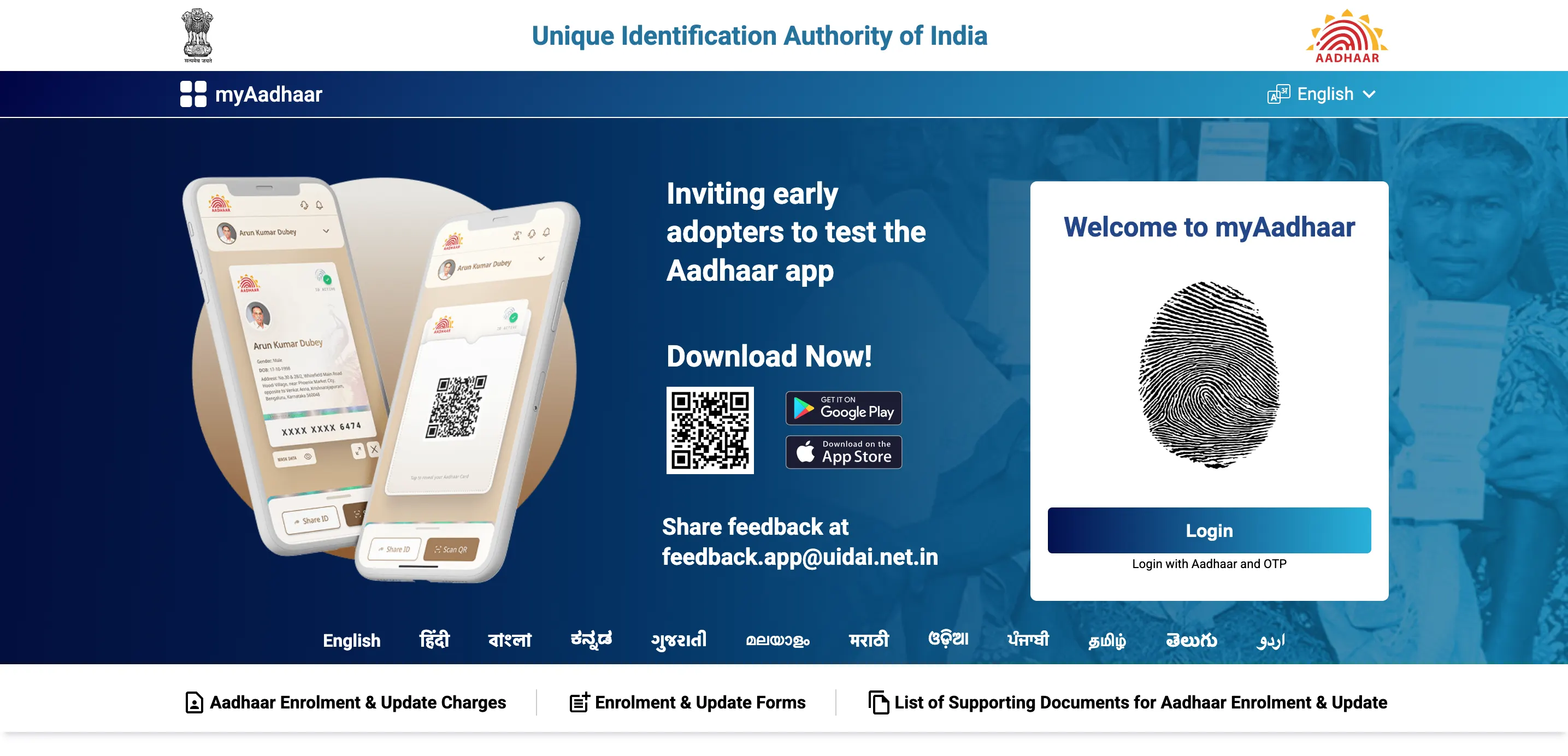
Online through myAadhaar is quickest for address and document uploads—still free until 14 June 2026. For name, DOB, gender, or biometrics, head to an Aadhaar Seva Kendra with the correction form.
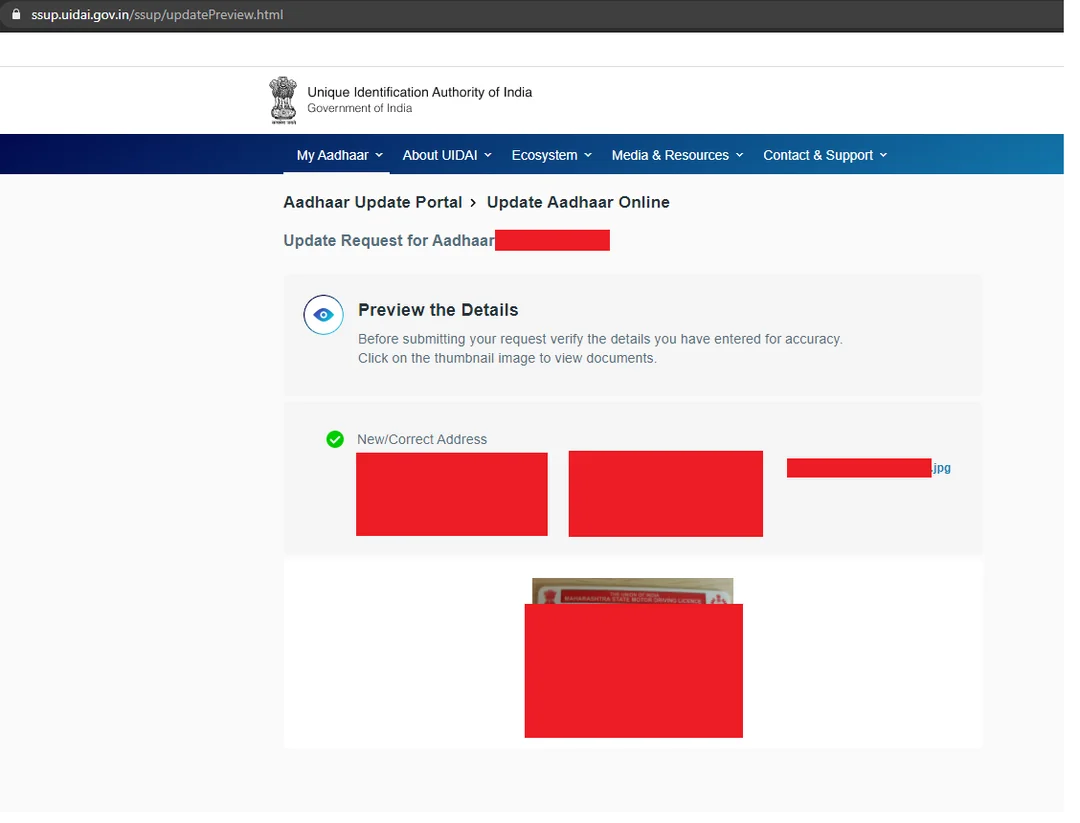
Step-by-Step: Online Address or Document Update (Do This First If Possible)
You can update your address and upload supporting documents online through the official UIDAI portal.
- 1. Visit the official myAadhaar portal.
- 2. Enter your 12-digit Aadhaar number.
- 3. Complete captcha verification.
- 4. Enter OTP received on registered mobile number.
- 5. Select “Update Address” or “Document Update”.
- 6. Enter new details carefully.
- 7. Upload valid proof (PDF/JPG, usually under 2MB).
- 8. Preview details and submit.
- 9. Save the Service Request Number (SRN) for tracking.
It usually processes in 15–30 days. SMS notifies when done. Super handy if you've just moved to a new sector.
Offline Aadhaar Correction at Aadhaar Seva Kendra.
How to Fill It Properly
- 1. Download Aadhaar Correction Form from the official UIDAI website OR collect it at the centre.
- 2. Fill the form in CAPITAL LETTERS.
- 3. Enter your Aadhaar number correctly.
- 4. Tick the fields you want to update.
- 5. Attach self-attested copies of required documents.
- 6. Book an appointment online (recommended).
- 7. Visit the centre with original documents for verification.
Book slot online at appointments.uidai.gov.in—saves hours of waiting, especially in peak times.
Aadhaar Correction Form offline Process On YouTube
Which Documents Required for Aadhaar Correction?
For Name Correction:
- • Passport
- • PAN Card
- • Marriage Certificate
- • School Certificate
For Address Update:
- • Bank Statement (recent)
- • Electricity Bill (not older than 3 months)
- • Ration Card
- • Passport
For Date of Birth Correction:
- • Birth Certificate
- • 10th Marksheet
- • Passport
Always check the latest approved document list on the official UIDAI website before visiting.
Fees Right Now (February 2026)
- • Online document/address update: Free till 14 June 2026.
- • At centre: ₹75 for demographic (name/address/etc.) if separate.
- • Biometric update: ₹125 (free for kids 7–15 till Sept 2026 in some cases).
Pay only at official centres—no agents.
Tracking and Downloading Updated Aadhaar
After submit, track via SRN on myaadhaar.uidai.gov.in. Approval: 15–90 days depending on type and centre rush. Once done, download fresh PDF from portal (password = your DOB YYYYMMDD). Quick tools like Aadhar Card Download help grab masked/full versions fast when you need one urgently—just stick to official for security.
Common Reasons for Rejection
- • Document mismatch.
- • Blurred upload.
- • Incorrect PIN code.
- • Exceeding date of birth correction limit.
- • Incomplete form.
Always double-check details before submitting.
Important Tips
- • Do address online first if you can—saves ₹75 and time.
- • Carry originals + two photocopies.
- • Use only the official UIDAI website.
- • After update, download and laminate a copy—keep masked version for daily use.
Aadhaar is basically your life ID now. Sort it once, and it saves endless stress later.
Suggested Authority Links:
How to Fill It Properly
- 1. Official Update Page: https://uidai.gov.in/en/my-aadhaar/update-aadhaar
- 2. Forms Download: https://uidai.gov.in/en/my-aadhaar/downloads/enrolment-and-update-forms
- 3. Supporting Documents List: List of Supporting Document for Aadhaar Enrolment and Update pdf
Frequently Asked Questions
1. Can name correction be done online in 2026?
No—still needs centre visit and correction form.
2. Is the form itself free?
Yes, you can download it free from the official UIDAI website. Centre service charges are ₹75 for most demographic updates.
3. What if my correction request is rejected?
You will receive an SMS mentioning the reason for rejection. Correct the issue and re-apply, or visit a regional office if correction limits are exceeded.
4. How many times can date of birth (DOB) be changed?
Typically, date of birth can be corrected only once. Additional changes require special approval from UIDAI.
5. Is appointment needed for Aadhaar centre?
Yes, it is recommended to book an appointment online to avoid long waiting times at the Aadhaar Seva Kendra.
6. Is family address update possible?
Yes, address can be updated through Head of Family (HoF) method using valid proof such as a ration card or other approved document.
7. What happens at the centre after submitting the form?
The operator verifies your documents, captures biometrics if required, and provides a receipt with a tracking number (URN).
8. When are free online updates ending?
Document updates are free until 14 June 2026 as per current notification. After that, applicable charges may apply.
9. Is the process same for NRIs?
The process is similar, but NRIs must use passport as primary proof and follow UIDAI guidelines applicable to overseas residents.
10. How to download updated Aadhaar?
Visit the official myAadhaar portal and click on “Download Aadhaar.” Enter Aadhaar number and OTP. The PDF password is your Date of Birth in YYYYMMDD format.