How to Update Aadhaar Online (Step by Step Guide 2026)
- Why Updating Your Aadhaar Matters in Daily Life?
- What Can You Actually Update Online in 2026?
- Before You Begin: Quick Checklist
- Step-by-Step: Updating Aadhaar Address Online (Easiest Method)
- Updating Name, Date of Birth, or Gender
- New 2026 Feature: Updating Mobile Number Online
- Updating Photo or Biometrics
- Documents You’ll Actually Need (Real Examples)
- Fees in 2026 – What You’ll Actually Pay
- How to Track Your Update Status?
- Common Problems People Face (and Quick Fixes)
- FAQs
You’ve just shifted to a new flat in Chandigarh, but your bank keeps rejecting the old address on your Aadhaar. Or maybe you got married last month and the name mismatch is creating problems with your new PAN link-up. Sound familiar? Most of us put off updating Aadhaar until something urgent pops up — and then we scramble. The good news? In 2026, updating many details online has become simpler than ever, especially while the current free window for online document uploads lasts.
This practical guide walks you through everything based on how real people are actually doing it right now. No jargon, just clear steps that work whether you’re in a metro or a small town.
Why Updating Your Aadhaar Matters in Daily Life?
Aadhaar is linked to almost everything now — bank accounts, LPG subsidy, income tax returns, voter ID, passport, and even your child’s school admission. An outdated address can delay your ration card or PF withdrawal. A name mismatch after marriage can block your mutual fund KYC. Updating once every few years saves months of follow-ups later.
What Can You Actually Update Online in 2026?
Right now you can comfortably handle these online:
- • Address (most common request).
- • Supporting documents (PoI and PoA proofs).
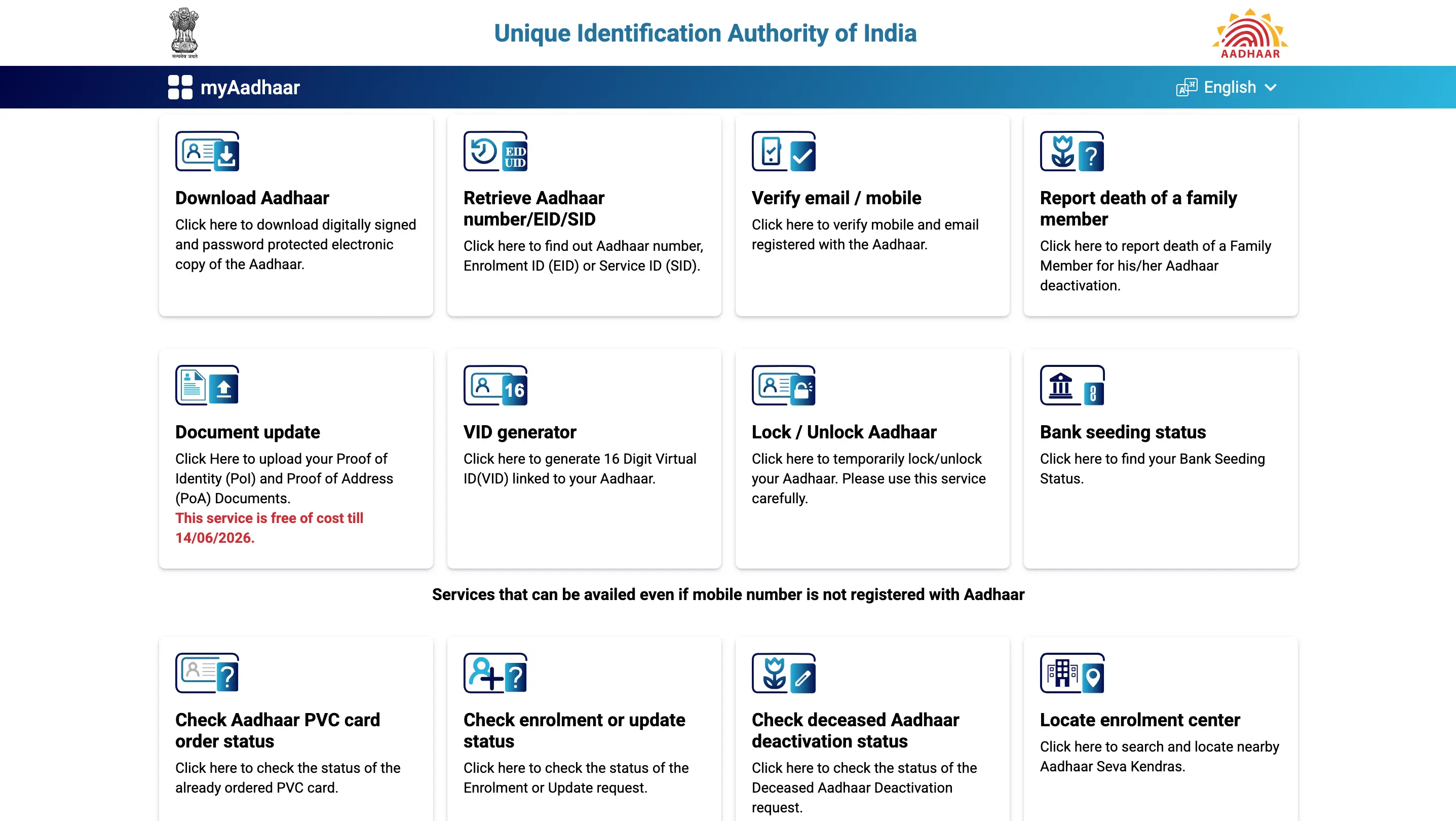
- • Mobile number (new “anytime, anywhere” facility rolled out in January 2026).
Name, date of birth, gender, and biometrics still mostly need a visit to an Aadhaar Seva Kendra, though the free online document upload facility helps strengthen those requests too.
Before You Begin: Quick Checklist
- • Your 12-digit Aadhaar number.
- • Mobile number registered with Aadhaar (very important for OTP).
- • Clear scanned copies of supporting documents (PDF or JPEG, under 2 MB each usually).
- • Stable internet and a smartphone or laptop.
- • Aadhaar linked to your current mobile — if not, you’ll need to visit a centre first.
Step-by-Step: Updating Aadhaar Address Online (Easiest Method)
This is the one most people need. Here’s exactly how it goes in 2026.
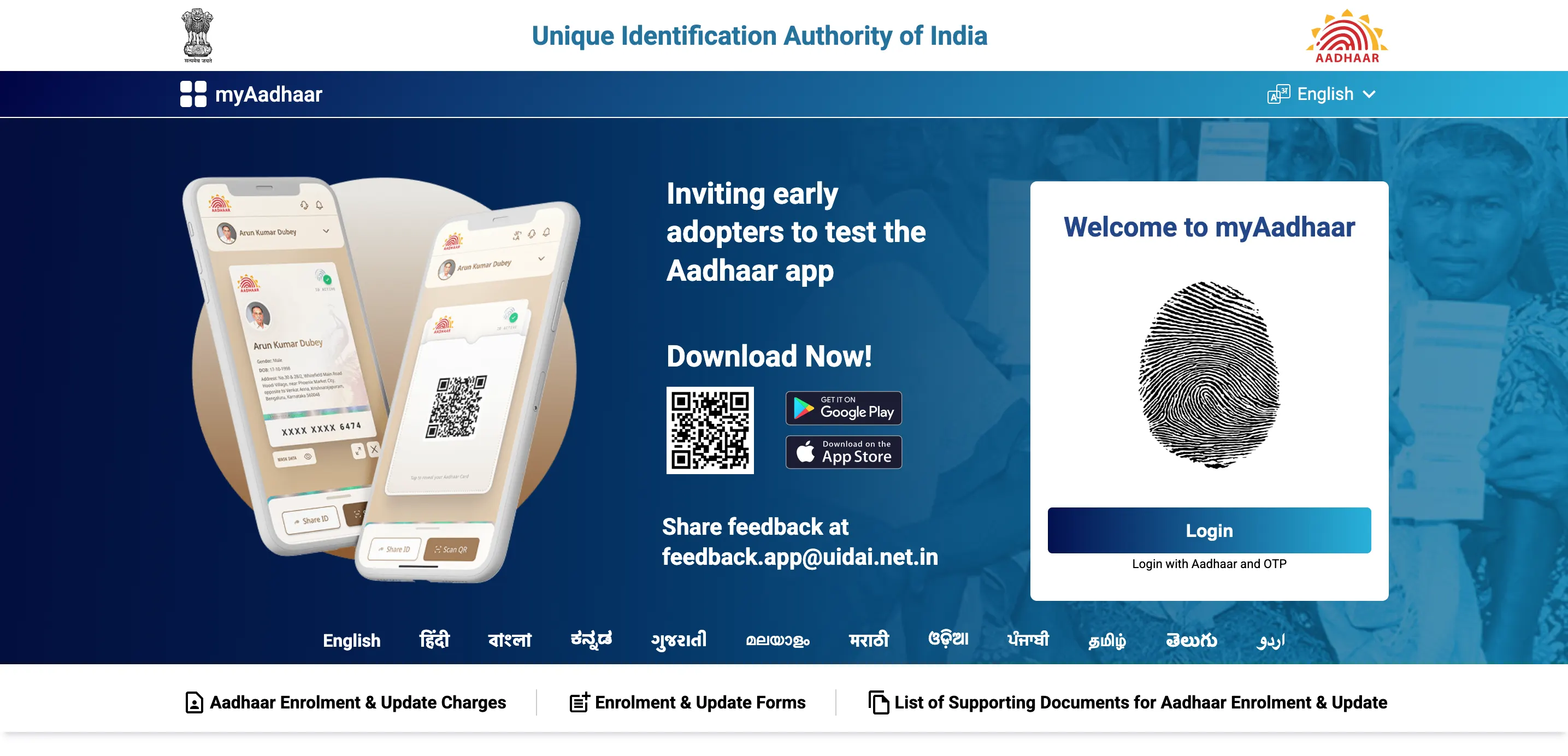
- 1. Open your browser and go to the official myAadhaar portal (myaadhaar.uidai.gov.in).
- 2. Enter your 12-digit Aadhaar number and the captcha.
- 3. You’ll receive an OTP on your registered mobile — type it in and log in.
- 4. On the dashboard, click “Update Address in your Aadhaar” or look for the “Document Update” section.
- 5. Choose the type:
- 6. Enter the new complete address carefully. Double-check spelling and pin code.
- 7. Upload clear scanned copies of your Proof of Address (POA).
- 8. Review everything, submit the request, and note down the Service Request Number (SRN) or Update Request Number (URN) shown on screen.
- 9. If any fee applies later, you’ll pay online via card or net banking (currently free for online document updates till mid-June 2026).
• Document-based update (if you have your own proof)
• Head of Family (HoF) based (if you’re updating using a family member’s Aadhaar)
The whole process takes 10–15 minutes if your documents are ready. One of my colleagues in Mohali did this after buying his first flat — he got the update confirmed in under a week.
Updating Name, Date of Birth, or Gender
These are trickier online. You can upload supporting documents through the same portal to strengthen your case, but final approval usually happens after a centre visit or manual verification. Best approach:
- • Start with the online document upload (free till 14 June 2026).
- • Then book an appointment at the nearest Aadhaar Seva Kendra if needed.
Problems many face:
New 2026 Feature: Updating Mobile Number Online
Since 28 January 2026, you can update your registered mobile number from anywhere without visiting a centre. Just log into the myAadhaar portal or use the official mAadhaar app, select mobile update, verify with existing OTP/biometrics, and add the new number. It’s a game-changer for people who changed SIMs.
Updating Photo or Biometrics
Sorry, this still requires a physical visit.
- • Book an appointment online at appointments.uidai.gov.in.
- • Carry original documents and go to any Aadhaar Seva Kendra or Post Office Aadhaar centre.
- • They will capture fresh fingerprints, iris, and photo on the spot.
Documents You’ll Actually Need (Real Examples)
For address update, common accepted proofs include:
- • Latest electricity or water bill (not older than 3 months).
- • Bank passbook or statement with your name and new address.
- • Voter ID or ration card.
- • Rent agreement (registered) or gas connection bill.
- • Passport (if it has the new address).
Keep the original with you — scans must be clear, not blurry or rotated. UIDAI rejects thousands of requests every month just because the scan is unreadable.
Fees in 2026 – What You’ll Actually Pay
Good news for now:
- • Online document upload / address update: Free till 14 June 2026.
- • At Aadhaar centre (demographic update): ₹75.
- • Voter ID or ration card.
- • Biometric update: ₹125 (free for children in certain age groups till September 2026).
After the free window ends, expect small charges even online.
How to Track Your Update Status?
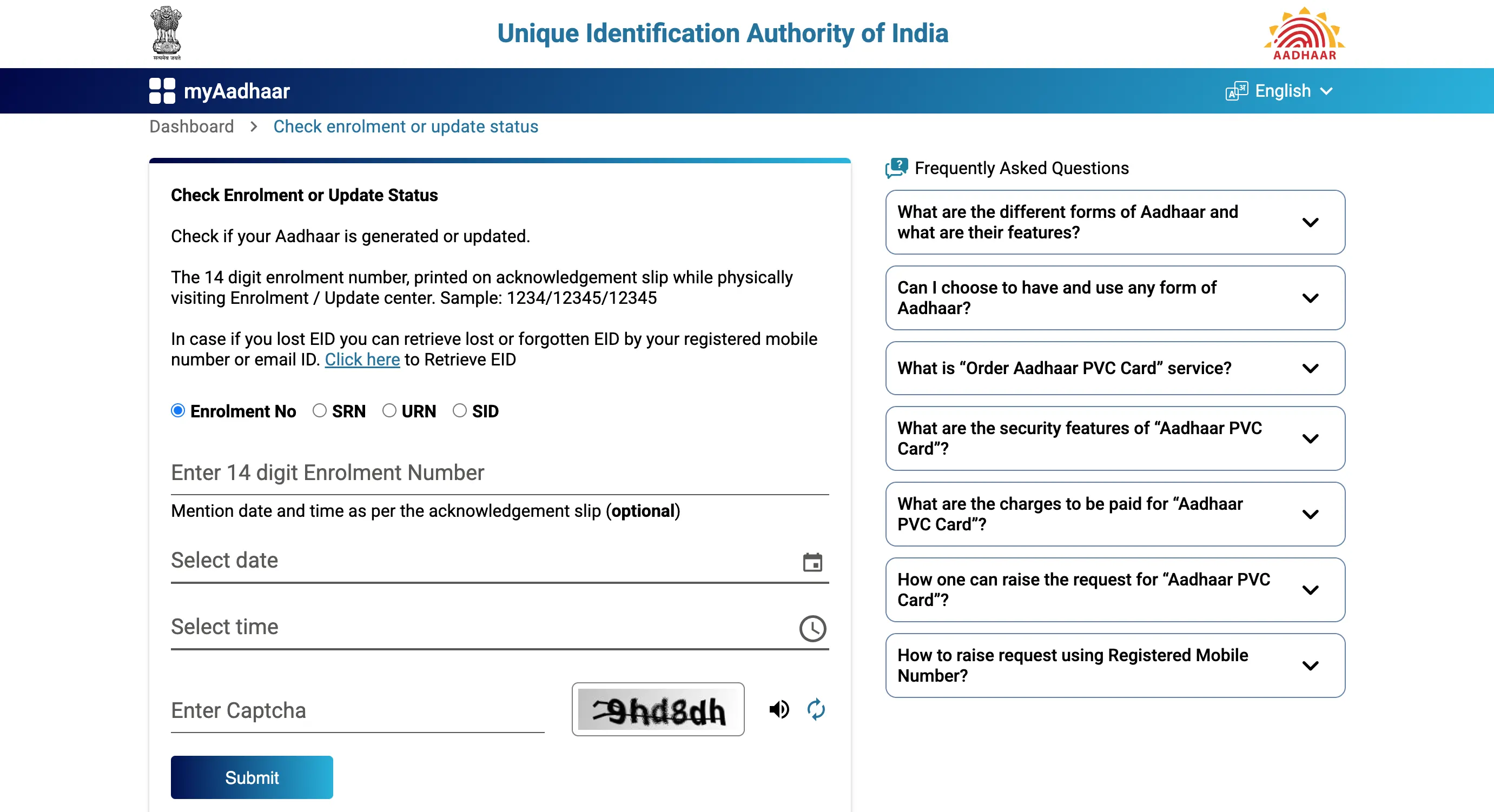
- 1. Go back to myaadhaar.uidai.gov.in.
- 2. Click “Check Aadhaar Update Status”.
- 3. Enter your SRN/URN and Aadhaar number.
- 4. You’ll see if it’s “Pending”, “Approved”, or “Rejected” (with reason).
Most address updates get processed within 7–15 days.
Common Problems People Face (and Quick Fixes)
- • OTP not coming → Wait 30 seconds or request again; check if mobile is switched off.
- • Document rejected → Scan in good light, under 2 MB, correct orientation.
- • “Mobile not registered” error → Visit centre first to link mobile.
- • Update stuck for weeks → Call 1947 helpline with your SRN.
Frequently Asked Questions
Is Aadhaar update completely free right now in 2026?
Yes, online document and address updates are free until 14 June 2026. After that, small fees will apply.
Can I update Aadhaar without a registered mobile number?
No. You need a registered mobile for OTP. Visit a centre first to link one.
How long does the online address update take?
Usually 7–15 working days. You can track it anytime.
What if my documents get rejected?
You’ll get a reason in the status. Fix the issue (clearer scan, correct document) and submit again — still free during the current window.
Can I update my child’s Aadhaar online?
Address and documents yes. Biometrics usually need a centre visit.
Is the Aadhaar app safe for updates?
Use only the official mAadhaar app from Play Store/App Store. Never share OTP with anyone.
Do I need to visit a centre after online submission?
For pure address updates with clear documents — usually not. For name or photo changes — yes.
Can NRIs update Aadhaar online?
Yes, address and documents can be updated online if they have valid Indian POA.
What happens if I miss the free update deadline?
After 14 June 2026 you’ll pay nominal fees, but the process remains the same.
How often should I update Aadhaar?
Whenever any major detail changes (address, name, mobile) or at least once every 10 years for documents.